Struggling with Taxonomy in CSOM
The parts of the CSOM for updating Taxonomy fields are really cumbersome. I mean, look at this code, nicely provided by Vadim Gremyshev (@vgrem). To set a value in a taxonomy field we have to assemble a text representation, and adding a “fake” lookup id. What is needed is a wrapper for handling Taxonomy fields. SPMeta2 and PnP don’t seem to have it yet. Another issue that I have struggled with today was the missing Microsoft.SharePoint.Client.Taxonomy.dll. If you see this error (set customErrors=“Off” in the Web.config), then you have update the reference in the Visual Studio project:  Open Properties for the reference called: Microsoft.SharePoint.Client.Taxonomy and ensure that Copy To Local is set to True:
  For some reason, this reference added through “App for SharePoint Web Toolkit” nuget package adds a reference to an assembly from your computers GAC.
Bypass all custom jslink

Client Side Rendering (CSR) and jslink are great for customizing lists and forms in SharePoint. In my current project we use it a lot of it. A disadvantage of that path, although, is that it might occur javascript errors, during the development phase, but also in production. We do, of course, our best to leverage the best jslink code, but unfortunately we have to live with the fact that errors can occur, especially when we use it for NewForm, EditForm, DisplayForm and View (in list and grid). If an error occurs, it won’t stop the rest of javascript (it is wrapped in try and catch by SharePoint), but the fields will still not function as intended. It can also be some “corrupt” or old data in the field value that will “break” the jslink code. I would like to suggest one little fix, an idea I’ve come up to in my jslink-heavy project:
Client Side Rendering with Async dependencies
Yesterday I asked a question on SharePoint StackExchange:
I also asked Elio Struyf on Twitter: https://twitter.com/eliostruyf/status/540473976255152128 Good idea, Elio Struyf! Now I want to try it out.
Preparations
In this case I’ll be using my example from my blog post yesterday: Drag and Drop Image using Client Side Rendering I have created a new list and added a lookup field to my previous list. What I get is a Title of the lookup item, but not my custom field called DragAndDrop. In my test I will try to load the DragAndDrop Image using an ajax call and rendering it after Client Side Rendering is done with my item. To be complete, I want to show some screenshots for my lookup field:
Drag and Drop Image using Client Side Rendering
I continue my series about Client Side Rendering (CSR) and jsgrid. Today I want to try a custom field where users can drag and drop images. The inspiration comes from:
- AutoUpload field written by Anton Vishnyakov and
- Base64 Drag and drop written by oroboto
What I want to achieve is:
- A custom field that is rendered with jslink
- Users can drag and drop small pictures (thumbnails) into the field
- A base64 image representation is saved as the field value
- Optionally implement pasting images using Clipboard API
Step 1 Create a field with a custom jslink
Create a field of type Note. I am using the PnP Core Extensions to make it quickier:
Disabling a column in Quick Edit
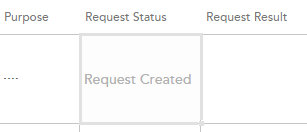
In my project I have a column called Request Status. This column is not shown in any forms, meaning users should not edit, because it is controlled through the app. Nevertheless it is editable in the Quick Edit. Yesterday I wrote about jsgrid in my blog. Now comes more. Today I’ll share a little practical solution how one can disable editing a field in Quick Edit. The field is edited in jsgrid, but to disable it, we only have set the property called AllowGridEditing to false on our column (not even touching the heavy jsgrid api). We can do in the OnPreRender event in our Client Side Rendering (CSR) registration. Having the context object we have access to the Fields (ContextInfo.ListSchema.Field):
JSGrid Basics
JSGrid is the javascript framework in SharePoint used in Quick Edit View (previously Datasheet View). There are a few very good blog posts on this topic (See below in “Sources”). Nevertheless the fact is that jsgrid and working with quick edit from a developer’s perspective is a huge undiscovered area. Articles I have seen are intended for advanced developers. The goal with my post today is to outline the very basics of working with JSGrid. When you know the basics you will be more comfortable to discover and try out more. The example I want to show is a jsgrid code for a “VerySimpleColumn”. The source code can be found on gist.github.com To focus on jsgrid, I assume you have knowledge and some experience of working with jslink, which is related to jsgrid.
Do not mess with the hive
In our Intranet we got this nasty double encoding error that was introduced in SharePoint April 2014 CU. In July 2014 CU the problem is still there. I often hear the suggestions to update files directly in the hive (the root folder for SharePoint: C:\Program Files\Common Files\microsoft shared\Web Server Extensions\15\) In that blog post it is described what the problem is and what files are affected and what code must be altered in order to get it to work (which I like). But it is also suggested to update the Search.ClientControls.js directly on the server (which I don’t like). So my advise is:
Showing Birthdays and Job Anniversaries in the Newsfeed

In our project we have a requirement to show birthdays and job anniversaries in the Newsfeed. The solution is simple (when you know it) but there has not been any information about it online, until today. I want to share a few lines of PowerShell code to enable Anniversary notifications in the Newsfeed. This desired piece of code was written by my colleague Emma Degerman. Enjoy:
$job = Get-SPTimerJob | ? {
  $_.TypeName -like "*.UserProfileChangeJob"
}
$job.GenerateAnniversaries = $true
$job.Schedule = [Microsoft.SharePoint.SPSchedule]::FromString("hourly between 55 and 55")
$job.Update()
The code retrieves the Timer Job that changes User Profiles, sets “GenerateAnniversaries” to true, then it updates the schedule to run it before the Activity Feed Timer Job and updates it. By the way, it is only applicable for SharePoint On Premises.
AppLoader Concept for SharePoint apps
In this post I want to share an unusual, nevertheless interesting conceptual idea of loading content from SharePoint 2013 apps on many pages. The original awesome concept was proposed and developed by my colleague Martin Villysson at Bool.
The problem we are trying to solve
SharePoint apps are great to extend functionality in SharePoint and integrate other systems (full page apps available through Site Contents), they also provide tools to enrich the default SharePoint experience by App Parts (Client Web Parts) and Custom Actions (additional menus).
Configuring VirtualBox for SharePoint-Hosted Apps
Recently I have switched from VMWare to VirtualBox for my SharePoint Development. So far it really works good. I have prepared this guide for configuring VirtualBox for SharePoint-hosted apps. That means we need a new adapter with a static ip address. All the steps done inside the virtual machine are applicable for VMWare and Hyper-V, too. This guide does not cover the full configuration of the app environment, it covers only the network and dns settings needed for SharePoint-hosted apps on Premises in a Development machine.