Improving the web performance of an intranet

All the “small” app parts, web parts, delegate controls, user controls, and other “packages” that “must” be delivered to the users on every page load of the Start Page of your Intranet.
Recently we made an investment to improve the performance of our intranet. We made many changes in different layers: SQL, Network, Browser upgrade and code. Here I want to tell about what code changes we did to improve the web browser performance. Please leave feedback if you find it useful. You can also share your suggestions. We measured the performance before our code changes and after them. We had amazing results. Unfortunately I can not share any numbers, but we improved the Time to First Byte, time to load event firing in the browser, memory consumption in the clients and, perhaps, the most important, we improved the perceived performance of the Intranet, the way how users experience the speed and UI responsiveness. To do this I got many ideas of my project colleagues and branch colleagues. Here is the list of changes we’ve implemented:
Do not mess with the hive
In our Intranet we got this nasty double encoding error that was introduced in SharePoint April 2014 CU. In July 2014 CU the problem is still there. I often hear the suggestions to update files directly in the hive (the root folder for SharePoint: C:\Program Files\Common Files\microsoft shared\Web Server Extensions\15\) In that blog post it is described what the problem is and what files are affected and what code must be altered in order to get it to work (which I like). But it is also suggested to update the Search.ClientControls.js directly on the server (which I don’t like). So my advise is:
Showing Birthdays and Job Anniversaries in the Newsfeed

In our project we have a requirement to show birthdays and job anniversaries in the Newsfeed. The solution is simple (when you know it) but there has not been any information about it online, until today. I want to share a few lines of PowerShell code to enable Anniversary notifications in the Newsfeed. This desired piece of code was written by my colleague Emma Degerman. Enjoy:
$job = Get-SPTimerJob | ? {
  $_.TypeName -like "*.UserProfileChangeJob"
}
$job.GenerateAnniversaries = $true
$job.Schedule = [Microsoft.SharePoint.SPSchedule]::FromString("hourly between 55 and 55")
$job.Update()
The code retrieves the Timer Job that changes User Profiles, sets “GenerateAnniversaries” to true, then it updates the schedule to run it before the Activity Feed Timer Job and updates it. By the way, it is only applicable for SharePoint On Premises.
Load git into PowerShell
Just a little productivity tip. If you use git on Windows, you probably already have the Github for Windows application. This application adds the Git Shell:
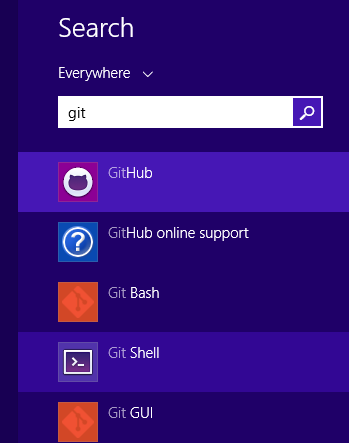
The Git Shell will open a PowerShell window and execute shell.ps1 from the Github directory:
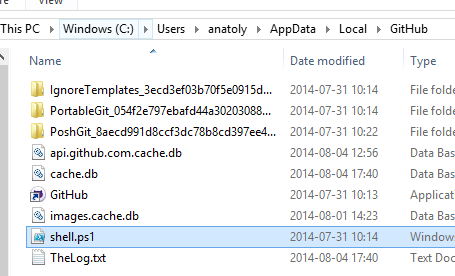
What it won’t do is to load your personal PowerShell profile. I want to use my PowerShell profile that creates some links and adjust the look-and-feel and the promt of the shell. By the way I have published my profile.ps1 as a gist:
AppLoader Concept for SharePoint apps
In this post I want to share an unusual, nevertheless interesting conceptual idea of loading content from SharePoint 2013 apps on many pages. The original awesome concept was proposed and developed by my colleague Martin Villysson at Bool.
The problem we are trying to solve
SharePoint apps are great to extend functionality in SharePoint and integrate other systems (full page apps available through Site Contents), they also provide tools to enrich the default SharePoint experience by App Parts (Client Web Parts) and Custom Actions (additional menus).
Configuring VirtualBox for SharePoint-Hosted Apps
Recently I have switched from VMWare to VirtualBox for my SharePoint Development. So far it really works good. I have prepared this guide for configuring VirtualBox for SharePoint-hosted apps. That means we need a new adapter with a static ip address. All the steps done inside the virtual machine are applicable for VMWare and Hyper-V, too. This guide does not cover the full configuration of the app environment, it covers only the network and dns settings needed for SharePoint-hosted apps on Premises in a Development machine.
A presentation about PowerShell and SharePoint
Yesterday I had a little presentation about PowerShell basics in the SharePoint context. Here you can see the presentation I’ve published on slideshare. The text is in Swedish.
[slideshare id=37316916&doc=sharepoint-140724063012-phpapp01&w=600]
A PowerShell one liner
PowerShell is powerful. You can write concise, well formulated, functional-style code. Recently I got the following quiz:
You’ve got $100. You have to buy exactly 100 animal, at least 1 dog, 1 cat and 1 mouse. 1 dog costs $15, 1 cat costs $1, 1 mouse costs $0.25.
There can be many ways to solve it. But look at this one line solution. It is quite impressive what you can do with PowerShell
AngularJS Performance Tuning for Long Lists
This is a must-read for all SharePoint Developers who use Angular.
Updating hover style in IE8 Developer Tools
In our project we still have to support Internet Explorer 8. The CSS issues in IE8 are most difficult to debug and solve. You can not add a new rule in Developer Tools or toggle the state of an element to hover as in moder web browser dev tools. One solution that I’ve come up to today, is to add a style with javascript or jQuery, open the script pane in IE8 Dev Tools and add this line: