Snabba diagram i SharePoint Online
Ett nytt tips på svenska: det finns en webpart i SharePoint Online: snabbdiagram.

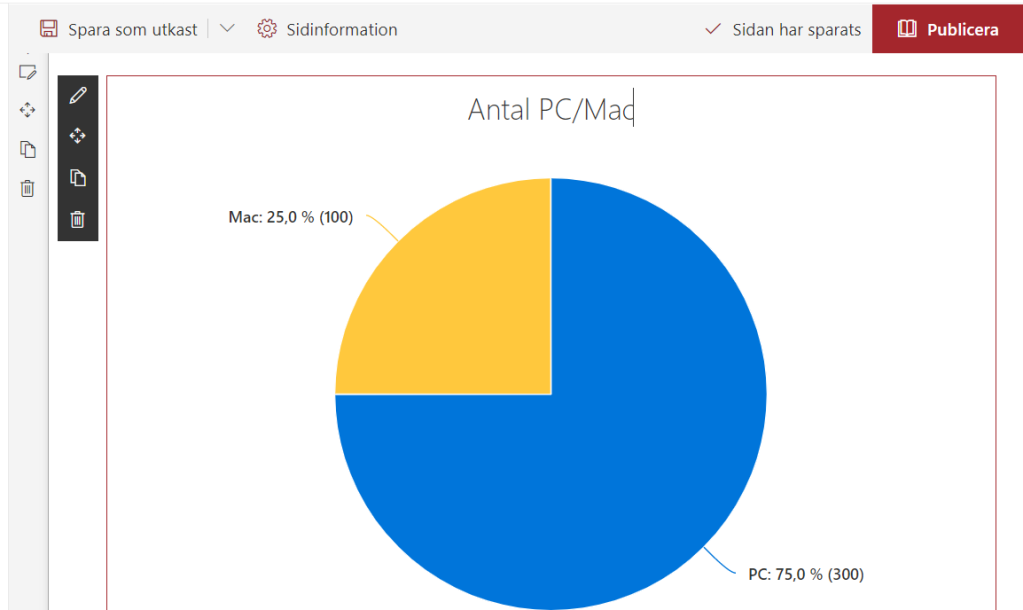
När du har lagt till ett snabbdiagram, kan du skriva välja mellan stapel och cirkeldiagram

Du kan bara välja mellan stapel- och cirkeldiagram.

Data går att mata in direkt.
Resultatet får du direkt:
Använd data från en lista
Det går att visualisera data från en SharePoint-lista. Det är inte så mycket mer komplicerat, men det öppnar nya möjligheter. Du behöver bara hålla listan uppdaterad.
Troubleshooting Performance in SharePoint Online
This is my personal list of links and thoughts on troubleshooting performance in SharePoint Online.
Resources
- @MSFT365Status, a twitter flow on the incidents and resolutions
- connectivity service
- Service Status (open for all), Service Health (for admins)
Health info in Response Headers
Every response from SharePoint Online contains some health information:
- Diagnosing performance issues with SharePoint Online (MSDocs)
- Troubleshooting SharePoint Performance Issues with F12 (blog post)
Following Response Headers could reveal the health:
Switch back to Modern UI
Just a little tip. When you switched to a Classic View of Site Contents, you can switch back by removing a cookie called “splnu”.


My list of _layouts pages
There are many resources on the internet that list _layouts/15 urls in SharePoint. Some are outdated, some are too short, some are to long. Here is my list of the urls, that I am going to update when I need. All the urls start with [Your-Tenant].sharepoint.com/sites/[Your-Site]/_layouts/15/ Here we go:
- viewlsts.aspx - Site Contents, Modern View
- viewlsts.aspx?view=14 - Site Contents, Classic View
- appinv.aspx - Grant Permissions to an App
- appregnew.aspx - Register a new SharePoint Application
- appprincipals.aspx - List Registered Add-Ins
- CreateGroup.aspx - Create Site page (Team and Communication)
- TA_AllAppPrincipals.aspx - List all app principals
AppLoader Concept for SharePoint apps
In this post I want to share an unusual, nevertheless interesting conceptual idea of loading content from SharePoint 2013 apps on many pages. The original awesome concept was proposed and developed by my colleague Martin Villysson at Bool.
The problem we are trying to solve
SharePoint apps are great to extend functionality in SharePoint and integrate other systems (full page apps available through Site Contents), they also provide tools to enrich the default SharePoint experience by App Parts (Client Web Parts) and Custom Actions (additional menus).