Two site logos?
We have had troubles updating site icons in SharePoint Online. It might be related to one of the following:
- It occures only on hub sites
- The sites have a custom theme
The error message:
We experienced a problem updating the icon. Please try again in a few minutes.
But what I found is that there are two places where you change the site icon. If the first does not work, try the second one, that was what worked for us:
Page Diagnostics for SharePoint
While trying to set up a new Home Site, I discovered that there is a tool (browser extension) called Page Diagnostics for SharePoint.

After running this, I tried that command again and it was smart enough to detect the problem the tool discovered.

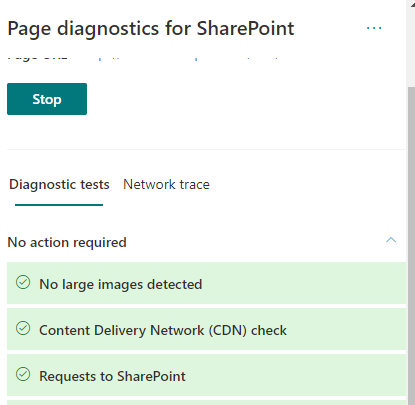
Also Network Trace is available.
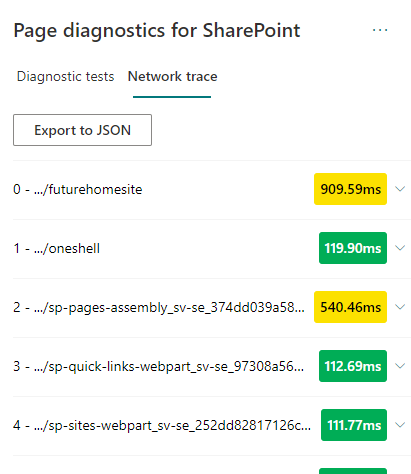
Network trace
Page Diagnostics Tool is defnitely a tool to have in the troubleshooting toolbelt for SharePoint.
Setting up a Home Site
Here is the script:
Troubleshooting Performance in SharePoint Online
This is my personal list of links and thoughts on troubleshooting performance in SharePoint Online.
Resources
- @MSFT365Status, a twitter flow on the incidents and resolutions
- connectivity service
- Service Status (open for all), Service Health (for admins)
Health info in Response Headers
Every response from SharePoint Online contains some health information:
- Diagnosing performance issues with SharePoint Online (MSDocs)
- Troubleshooting SharePoint Performance Issues with F12 (blog post)
Following Response Headers could reveal the health:
Method "GetList" does not exist
I troubleshooted a piece of CSOM code in SharePoint 2013. I got the following error:
Method “GetList” does not exist
The reason was that the method GetList was not imlemented until March 2015 CU (15.0.4701.1001), and the SharePoint farm I had was SharePoint 2013 SP1 (15.0.4569.1000). So the solution is to install the Cumulative Update or use web.Lists.GetByTitle. GetByTitle has one aweful shortcoming: it doesn’t work in multilingual environments. So I have recommended to install the March 2015 CU.